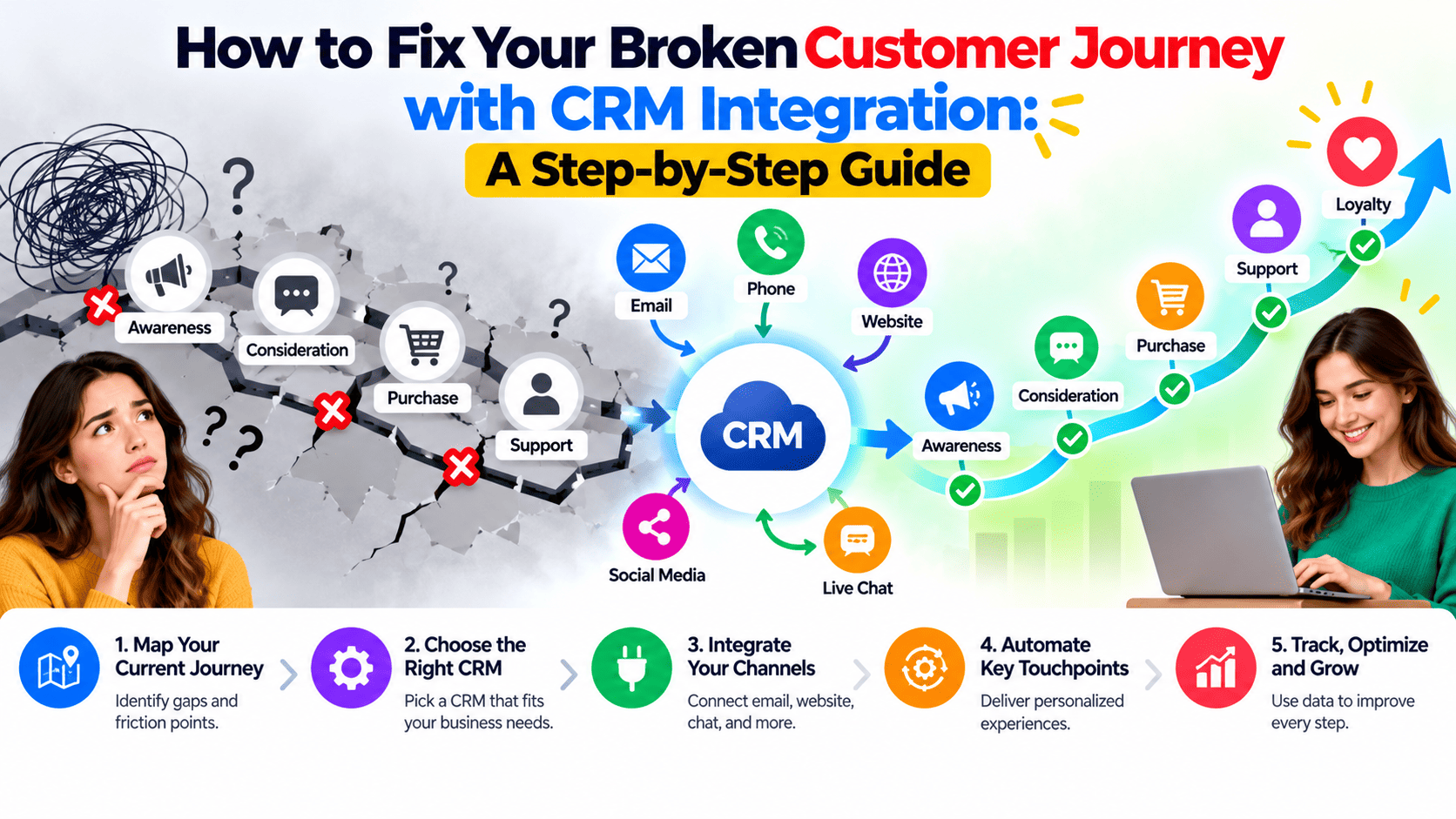
How to Fix Your Broken Customer Journey with CRM Integration: A Step-by-Step Guide
Your customers don't think in departments. They see one brand. Yet behind the scenes, marketing runs one tool, sales runs another, and support works from a third. Every time a customer moves between them, something gets lost: a lead goes cold, a support agent asks a question the customer already answered, or a renewal slips by unnoticed.
That is a broken customer journey, and the fix is rarely another campaign. It is CRM integration: connecting your CRM software with the tools your teams already use so every interaction lives in one place.
At Eaglemount Technologies, we see the same pattern across growing businesses. This guide shows you how to spot the problem and fix it, step by step.
What Is CRM Integration?
CRM integration links your customer relationship management platform with your email, website, marketing automation, accounting, helpdesk and other business systems. Data flows between them automatically, so there is no copy-pasting between spreadsheets and no waiting for someone to update a record.
The result is a customer 360 view: one up-to-date profile showing every page visited, email opened, deal discussed and ticket raised. Whether you use HubSpot CRM, Salesforce, Zoho or a custom platform, the principle is the same.
5 Signs Your Customer Journey Is Broken
- Leads go unanswered. A form is filled out, but it takes days to reach the right salesperson, or it never does.
- Teams contradict each other. Marketing promises one thing, sales says another, and support has no context.
- Customers repeat themselves. Every handoff forces them to explain their situation again.
- You can't see where prospects drop off. Without connected data, sales pipeline reports are guesswork.
- Reporting takes days. If building one report means merging five exports, your data is siloed.
If two or more sound familiar, your customer experience is leaking revenue at the handoff points.
How CRM Integration Fixes the Journey
Faster, smarter lead management. Integrated systems capture leads from your website, ads and events, score them, and route them to the right owner within minutes. Strong lead management is often the quickest win, because speed of response strongly influences whether a prospect converts.
Consistent communication. When marketing can see what sales discussed, and sales can see which campaigns a contact engaged with, messaging stays aligned across channels.
Better lead nurturing. Behavior-based triggers, such as a pricing page visit or a downloaded guide, can start personalised email sequences automatically, keeping prospects warm until they are ready to talk.
Stronger customer retention. Support history, purchase data and engagement signals in one profile help you spot at-risk accounts early and identify upsell opportunities.
Reliable reporting. With one source of truth, you can track conversion rates by stage, campaign ROI and customer lifetime value with confidence.
Step-by-Step: How to Implement CRM Integration
Step 1: Map your current customer journey
Start with customer journey mapping. List every stage from first awareness to renewal, and note which team and which tool owns each stage. Mark every point where data is entered manually or a handoff happens. These are your friction points.
Step 2: Set clear goals and metrics
Decide what success looks like. Useful targets include lead response time, lead-to-opportunity conversion rate, sales cycle length, support resolution time and customer retention rate. Assign an owner to each metric.
Step 3: Audit and clean your data
Poor data undermines even the best integration. Remove duplicates, standardise formats (phone numbers, company names, countries), fill in missing fields and archive stale records. This step is the heart of any successful CRM data migration.
Step 4: Choose the right CRM and integration approach
Pick CRM software that fits your size, industry and budget, and that connects natively with your key tools. Compare three options: native connectors for common apps, middleware platforms for no-code workflows, and custom API integration for complex or legacy systems. Professional CRM integration services can save time when your stack is complicated.
Step 5: Map fields and build automations
Decide which fields sync, in which direction, and which system is the source of truth for each. Then build sales automation and workflows: lead routing, follow-up task creation, deal-stage notifications, onboarding sequences and renewal reminders. Automate repetitive work, but keep human touchpoints for high-value moments.
Step 6: Test before you launch
Run test records through every workflow. Confirm that data lands in the right fields, notifications reach the right people and no duplicates are created. Fix issues in a small pilot group before rolling out company-wide.
Step 7: Train your team and keep improving
Adoption decides whether the project succeeds. Train each team on how the integrated system helps their daily work, and gather feedback in the first 30 to 60 days. Review your dashboards monthly, retire automations you no longer need and refine your lead scoring as you learn what converts.
Common CRM Integration Mistakes to Avoid
- Integrating before cleaning data. You will only sync your mess faster.
- Over-automating. Customers still want a human when it matters.
- Ignoring user adoption. A tool nobody uses fixes nothing.
- Skipping ownership. Without a named administrator, data quality decays.
- Treating it as a one-time project. Your business changes, so your integrations must too.
Quick Checklist
- Customer journey mapped and friction points identified
- Goals and KPIs defined
- Data cleaned and deduplicated
- CRM and integration method selected
- Fields mapped and workflows automated
- Everything tested in a pilot
- Team trained and dashboards reviewed monthly
Ready to Fix Your Customer Journey?
A connected customer journey doesn't happen by accident. It comes from clean data, thoughtful workflows and systems that talk to each other. Done well, CRM integration helps you respond faster, communicate consistently and keep customers longer.
Eaglemount Technologies helps businesses plan, build and optimise CRM integrations, from journey audits to automation and ongoing support. Contact our team for a free consultation and find out where your customer journey is breaking.