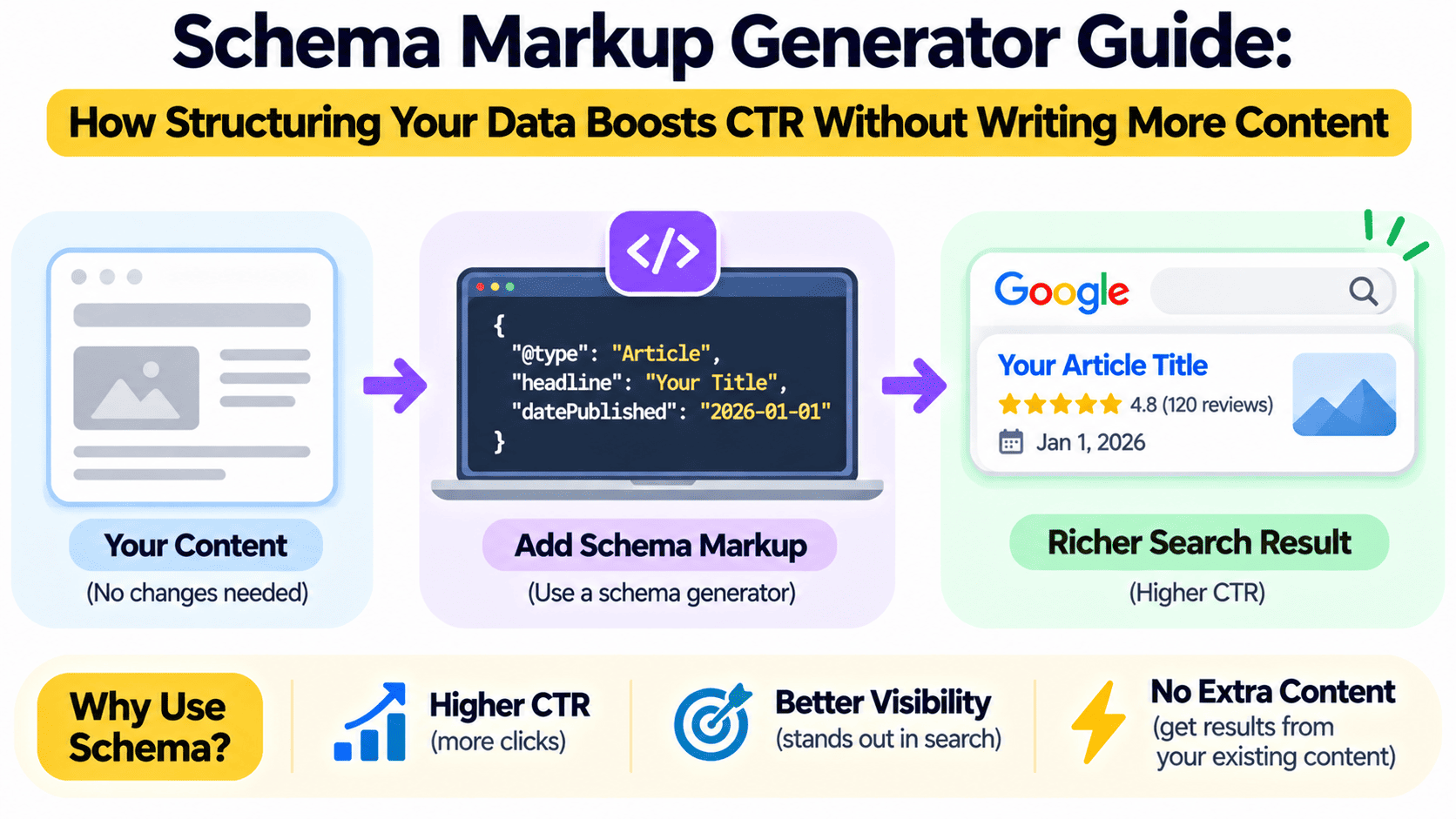
Schema Markup Generator Guide: Earn Rich Snippets Without New Content
Most businesses try to grow organic traffic by publishing more. More blogs, more landing pages, more keywords. But there is a faster lever that many teams ignore: helping search engines understand the content you already have. Schema markup for SEO does exactly that, and when it earns you rich snippets, it can lift your click-through rate (CTR) without a single new word of copy.
In this schema markup generator guide, Eaglemount Technologies explains what structured data is, how to create it, how to validate it and how to turn it into measurable clicks.
What Is Schema Markup and Why Does It Matter?
Schema markup is a standardized vocabulary from Schema.org that you add to your pages as code. It labels your content so search engines know that a number is a price, a block of text is a review, or a list of questions is an FAQ. Think of it as a translation layer between your page and Google.
This matters for three reasons:
- Better understanding: Search engines interpret your content with less guesswork.
- Rich results eligibility: Stars, prices, FAQs, breadcrumbs and event details can appear directly in search listings.
- Higher CTR: An enhanced listing takes more visual space and answers questions before the click, which attracts more qualified visitors.
Schema is not a direct ranking factor, but the CTR gains it can drive are real, and engagement signals support your wider SEO performance.
Understanding Technical SEO Data Structure
Good technical SEO data structure begins with choosing the right format. Google recommends JSON-LD, a block of JavaScript placed in the head or body of the page, because it keeps markup separate from your visible HTML and is easy to maintain. Microdata and RDFa still work, but JSON-LD is cleaner and simpler to scale across templates.
Every markup block has three parts:
- Type: What the entity is, such as Article, Product, LocalBusiness or FAQPage
- Properties: Details such as name, description, price, rating and author
- Nested entities: Relationships, such as an Organization that publishes an Article
Keeping these consistent across your site builds a clear entity map that search engines can trust.
Why Use a Schema Markup Generator?
Writing JSON-LD by hand is slow and error-prone. A missing comma or wrong property name can invalidate the entire block. A schema markup generator removes that friction by letting you fill in a form and outputting valid code.
Benefits include:
- Faster deployment across many pages
- Fewer syntax errors
- Built-in support for the types Google recommends
- Easy copy-and-paste output for developers and marketers alike
For large sites, pair a generator with CMS templates or dynamic variables so markup is produced automatically for every product, post or location.
Step-by-Step: How to Generate and Add Schema Markup
Step 1: Pick the right schema type. Match the type to the page. Use Article or BlogPosting for editorial content, Product for ecommerce, LocalBusiness for location pages, FAQPage for question-and-answer content and BreadcrumbList for navigation.
Step 2: Fill in accurate properties. Use a schema markup generator to enter your data. Required properties must be complete, and recommended properties improve eligibility. Every value must match what users actually see on the page.
Step 3: Copy the JSON-LD output. The generator produces a script block you can paste into your page template or tag manager.
Step 4: Deploy to your site. Add it to the page head, a CMS field or Google Tag Manager. For scale, build it into templates.
Step 5: Validate before publishing. This is where testing tools come in.
Google Rich Results Test Guide: How to Validate Your Markup
This Google Rich Results Test guide covers the most important quality check in your workflow.
- Open the Google Rich Results Test.
- Enter a live URL or paste your code snippet.
- Run the test and review the detected items.
- Fix every error, which blocks rich result eligibility, and review warnings, which flag missing recommended fields.
- Use the preview to see which rich result types your page qualifies for.
Also run your page through the Schema Markup Validator for general Schema.org compliance. After publishing, monitor the Enhancements reports in Google Search Console to catch errors across your whole site and confirm Google is picking up your structured data.
Google Rich Snippets Optimization: Schema Types That Lift CTR
Effective Google rich snippets optimization means choosing markup that matches search intent. The highest-impact types include:
- FAQ schema: Expands your listing with questions and answers (note that Google now limits FAQ display for many sites, so test current eligibility)
- Product and Review schema: Shows price, availability and star ratings
- Article schema: Supports headlines, images and publication dates
- Breadcrumb schema: Replaces raw URLs with clean navigation paths
- LocalBusiness schema: Strengthens local pack and map visibility
- HowTo and Video schema: Helps instructional content stand out
- Organization schema: Reinforces brand identity and knowledge panel signals
Apply schema to your existing top-performing pages first. Pages already ranking on page one with weak CTR are the best candidates, because a rich snippet can convert impressions into clicks quickly.
Common Schema Markup Mistakes to Avoid
- Marking up invisible content: Structured data must reflect content users can see
- Fake or self-serving reviews: This risks a manual action
- Incomplete required fields: The markup will be ignored
- Duplicate or conflicting markup: Plugins and themes may output competing schemas
- Set and forget: Prices, availability and dates must be updated when your page changes
How to Measure the CTR Impact
Structured data only pays off if you track it. In Google Search Console, open the Performance report and filter by search appearance to isolate rich result impressions and clicks. Compare CTR for marked-up pages against a baseline period of four to six weeks before launch, and look at average position to ensure the lift comes from the snippet, not a ranking change. Document wins so you can roll out the same approach to similar page templates.
Conclusion: Do More With the Content You Already Have
Schema markup turns existing pages into richer, more clickable search listings. With a reliable schema markup generator, a disciplined validation routine using the Google Rich Results Test and a focus on the right schema types, you can raise CTR and strengthen your technical SEO foundation without producing more content.
At Eaglemount Technologies, we implement and audit structured data at scale, from template-level JSON-LD to ongoing rich result monitoring.
Want your listings to stand out in search? Contact Eaglemount Technologies for a structured data audit and implementation plan.